Prerequisites

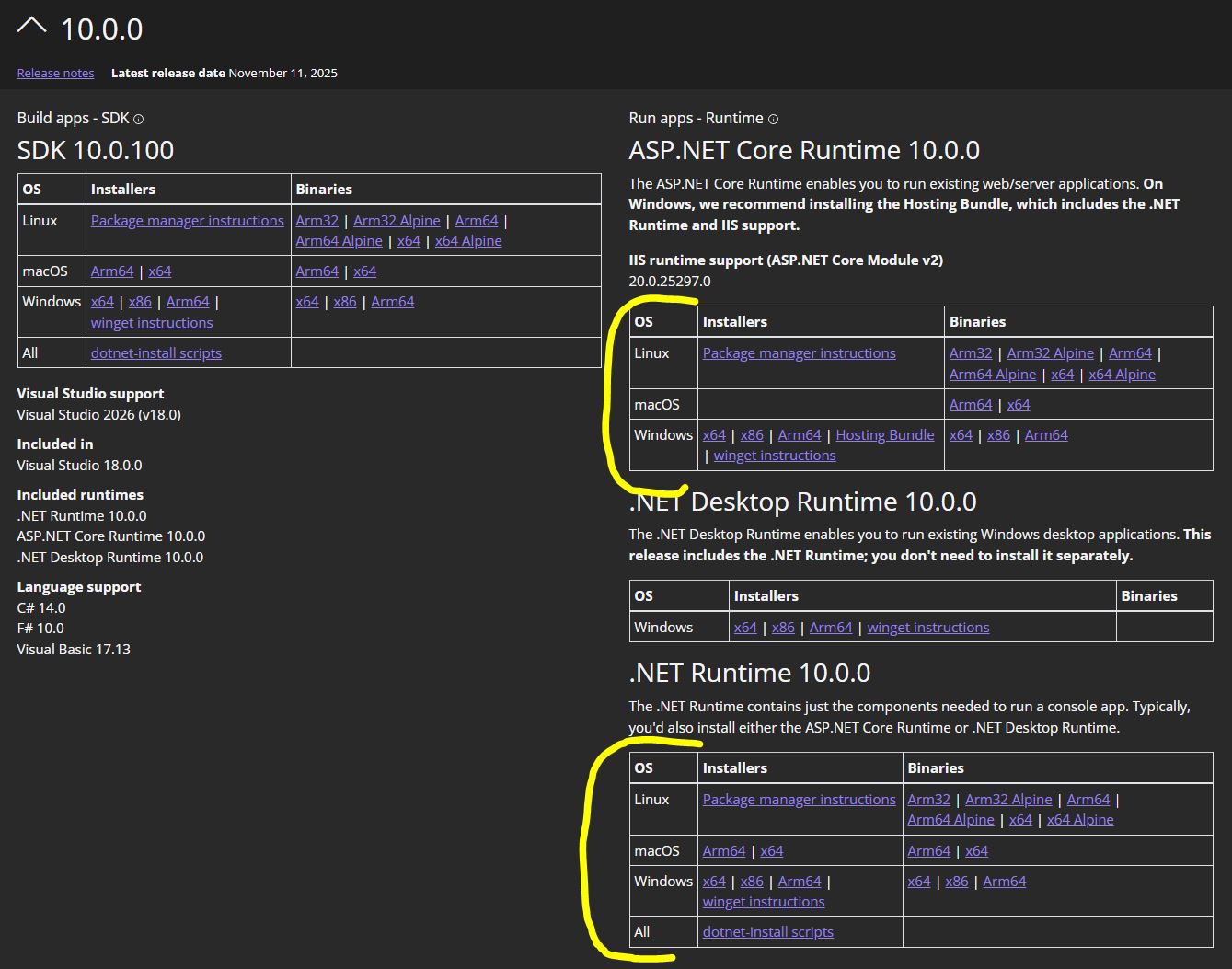
1) Install .Net

.NET is a free, cross-platform, open-source platform created by Microsoft for building various applications. It provides a runtime environment, libraries, and tools for building web, mobile, desktop, gaming, and IoT applications. .NET is designed for productivity, performance, security, and reliability.


Install the .NET Runtime for your operating system before you proceed to the next steps.

Open .NET Downloads install dot Net

2) Install BitThor

BitThor is a FREE download that is customized per your operating system. Choose the correct download for you.

Windows Versions


Download the latest versions for Microsoft Windows versions 10 and 11 as well as all versions of Windows Server.

Learn More...

Apple Versions


Download the latest versions for Apple OS versions here. This software will enable you to run BitThor on a Apple Operating System.

Learn More...

Linux Versions


Download the latest versions for Linux OS versions here. This software will enable you to run BitThor on Linux Operating Systems.

Learn More...

Windows Download Files


Windows Versions

Latest Version: 0.0.88.99

Updated to dot NET 10.0, new runtimes, faster performance.

Download Latest Version 0.0.88.99 Windows Install
Previous Windows 10 & 11 Release Versions
BitThorSetup_v0.0.88.98

Updating javascript elements.

Download Version 0.0.88.98 Windows Install

Apple Download Files


Apple Versions

Latest Version: 0.0.88.99

Updated to dot NET 10.0, new runtimes, faster performance.

Download Latest Version 0.0.88.99 Macintosh Install
Previous Apple Release Versions
BitThor_mac_v0.0.88.98.tar

Updating javascript elements.

Download Version 0.0.88.98 Macintosh Install

Linux Download Files


Linux Versions

Latest Version: 0.0.88.99

Updated to dot NET 10.0, new runtimes, faster performance.

Download Latest Version 0.0.88.99 Linux Distro Install
Previous Linux Distro Versions
BitThor_linux_v0.0.88.98.tar

Updating javascript elements.

Download Version 0.0.88.98 Linux Install